
Text to speech
Listen to replies aloud, so pupils can hear an explanation as well as read it.
SchoolGPT for pupils
AI built around your pupils, with the curriculum, language and support they need to learn at school and at home.
Write, speak or use the camera. Hear a reply aloud, follow the words and make the screen comfortable to read.
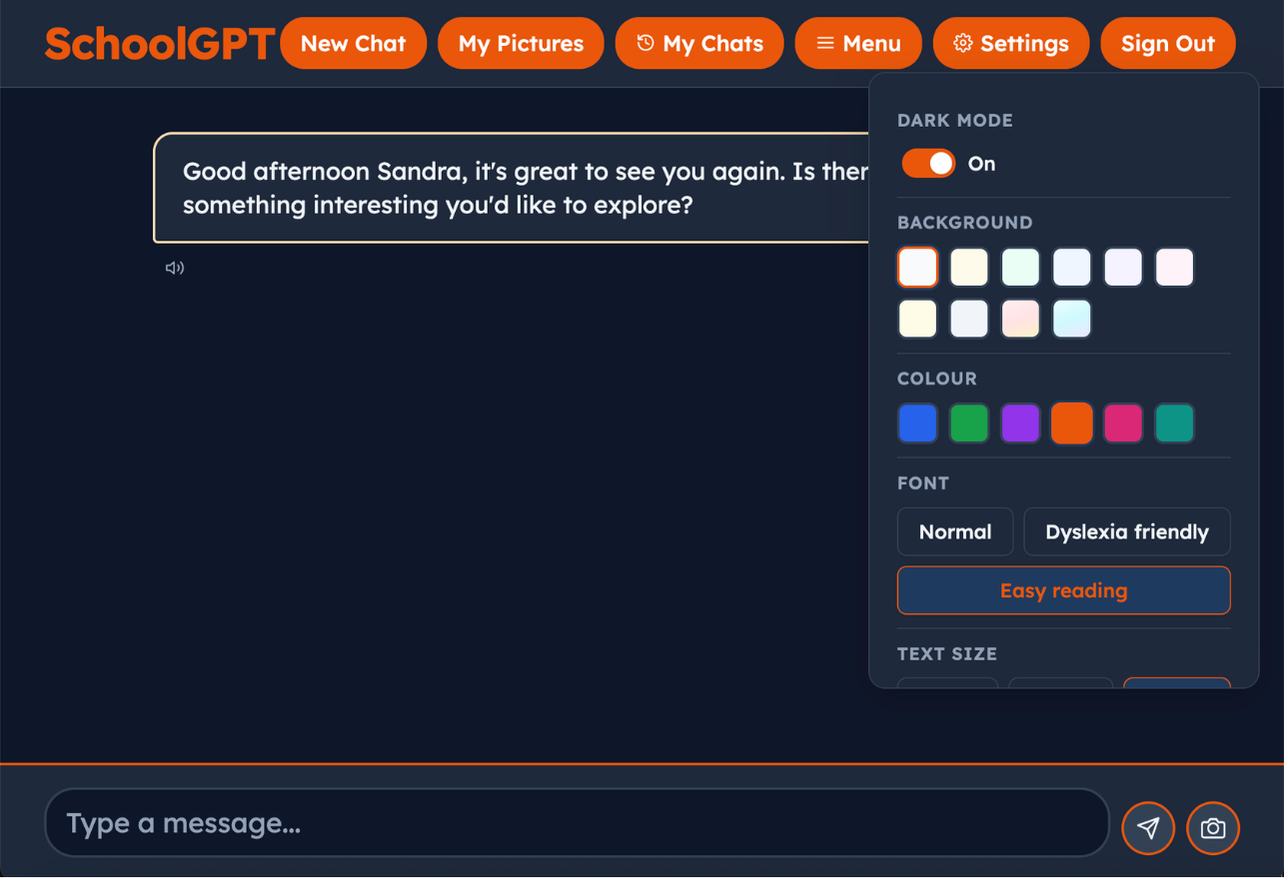
More ways to take part
Different pupils need different ways to read, write and share their ideas. These tools are part of their SchoolGPT experience.
Listen to replies aloud, so pupils can hear an explanation as well as read it.
Speak an idea or question and turn it into text, giving pupils another way to contribute when typing gets in the way.
Choose background colours and screen tints to suit a pupil’s reading preferences and make the screen more comfortable to use.
Dyslexia-friendly fonts, easy-reading options and adjustable text sizes let pupils change how words appear on screen.
Bring a picture into the conversation. Pupils can use the camera to share what they are working on and ask about it.
Words are highlighted as they are written, helping pupils follow the response as it appears.
Built around the learner
Each pupil has a learning profile based on their country, curriculum, age and school year. SchoolGPT uses that context to support the learning happening in your classroom.
Support that follows the subjects, scheme of work or lesson plan your school is teaching.
Explanations and expectations shaped around the pupil’s age and stage of learning.
Vocabulary, spelling and examples suited to the pupil’s country and literacy level.
Recognise what a pupil understands, revisit difficulties and adjust the support as they make progress.
See it in action
This interactive demonstration shows how the Understanding Engine notices a pupil’s language and models a helpful response that keeps them writing.
Ready for school life
Safeguarding runs throughout conversations, with concerns escalated to your designated safeguarding lead. Progress stays private to the pupil and their school.
We help with setup, connect with school systems such as Arbor, Bromcom and SIMS, and provide documentation to support your data protection process.
Talk through your school’s needsSimple annual pricing
Flexible based on the number of devices, needs and use.
Annual whole-school licence
Flexible by devices and users
A straightforward annual price with flexible deployment options for your school.
Get StartedFlexible by devices and users
Flexible access shaped around mixed-age classes, specialist settings and individual needs.
Get Started